English
Command-Line Resource Editor For 32- and 64-Bit Files
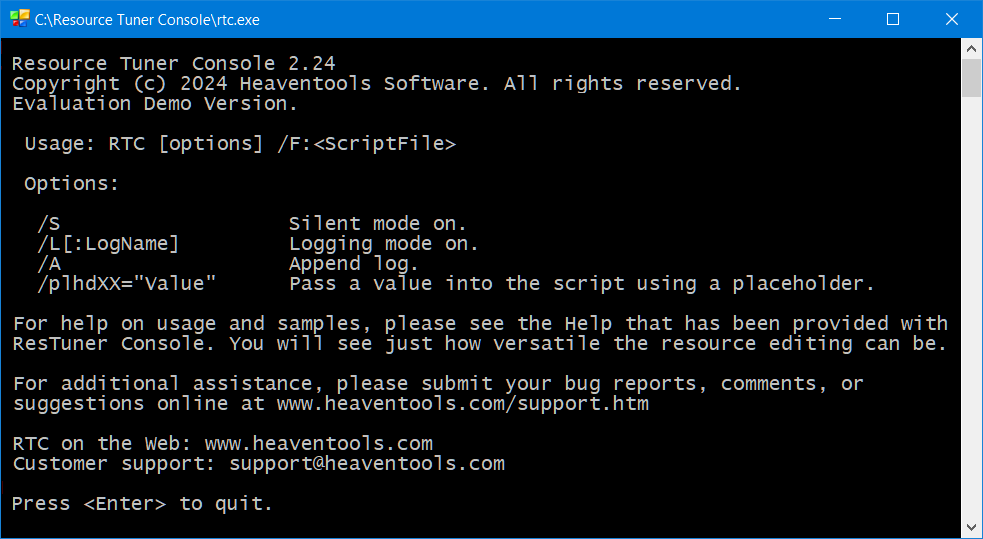
Resource Tuner Console is a command-line tool that enables developers to automate editing of different resource types in large numbers of Windows 32- and 64-bit executable files. This console resource editor allows creating a reliable and repeatable process for updating and customizing resources during the final stage of the build process.
As a command-line tool, Resource Tuner Console can be run from both batch scripts and other Windows-based applications. With Resource Tuner Console, developers can efficiently and consistently manage resources in executable files, optimizing their workflow and productivity.
Why Would You Need This Command-Line Resource Editor?

The idea behind the program is simple: a significant portion of an application's resources can be modified AFTER the compilation phase, specifically during the post-build stage of development. So why bother with resources at design time, when you can fine-tune all your icons, strings, and version numbers at the post-build stage along with code signing and protection.
Resource Tuner Console will take all the pain out of the patching process, and customize your single source .EXE file with new icons, bitmaps, logos, custom strings, version variables, manifests, and beyond. Setting up an automated way to apply your changes couldn't be simpler.
- Flexibility: Editing resources post-build offers greater flexibility. You can adapt your application to changing requirements or branding needs without recompiling the entire project.
- Automation: Resource Tuner Console allows you to automate resource customization, making it easy to apply changes consistently across multiple executables. This reduces the chances of human error and ensures a standardized process.
- Efficiency: For minor changes or updates, post-build resource editing can be significantly more efficient than recompiling the entire application.
- Rebranding: It's particularly useful for rebranding applications with new icons, strings, version numbers, and other branding elements.
It's a great time-saver. It is 1000 times faster than traditional resource editors so you can get onto more important things, focus on more critical tasks, and achieve results quickly.
 Feature List Solutions: When You Really Need Resource Tuner Console
The Complete Illustrated Guide To Using Scripts Getting Started with RTC
FAQ: Get Answers to Most Common Questions
Get Started with a 60-Day Free Trial
Download ResTuner Console and learn how it can make you more productive.
 Resource Tuner Console runs on all versions of Windows in use today: from 11 to XP, both 32-bit or 64-bit.
 Getting Started with Resource Tuner Console (.PDF)
Resource Tuner Console comes with the examples that explain basic functionality and demonstrate many of the features available in Resource Tuner Console. Check out the samples to get an idea what Resource Tuner Console can do for you.
When you use Resource Tuner Console to automate your processes, you get big productivity gains at a price even a little business can appreciate.
Buy Now And Unlock The Power of RTC
Key Advantages For Users
- Automation and Productivity: You can establish an automated workflow for making resource changes in your applications. This saves time and ensures consistency in your customization process.
- Repeatable Process: Resource Tuner Console enables you to create a standardized and repeatable process for customizing resources in multiple executable files.
- Batch Processing: You can process multiple executable files simultaneously, making it efficient to apply changes across numerous applications and libraries.
- Rebranding: Easily rebrand your applications by replacing icons, bitmaps, strings, manifests, and version numbers with new ones, giving your software a fresh look.
- Integration: Resource Tuner Console seamlessly integrates with your build system, allowing you to incorporate it into your existing development workflow.
- Complex Operations Made Simple: Some tasks in Resource Tuner Console involve multiple steps that might be cumbersome to perform manually. The command line interface allows you to combine these steps into a single script, making complex operations easier to execute.
- Remote Execution: Resource Tuner Console can be run remotely on other machines, making it useful for managing resources across a network.
Our Customers